Why Backups Matter
From the Synergy Tech Repair article archive.
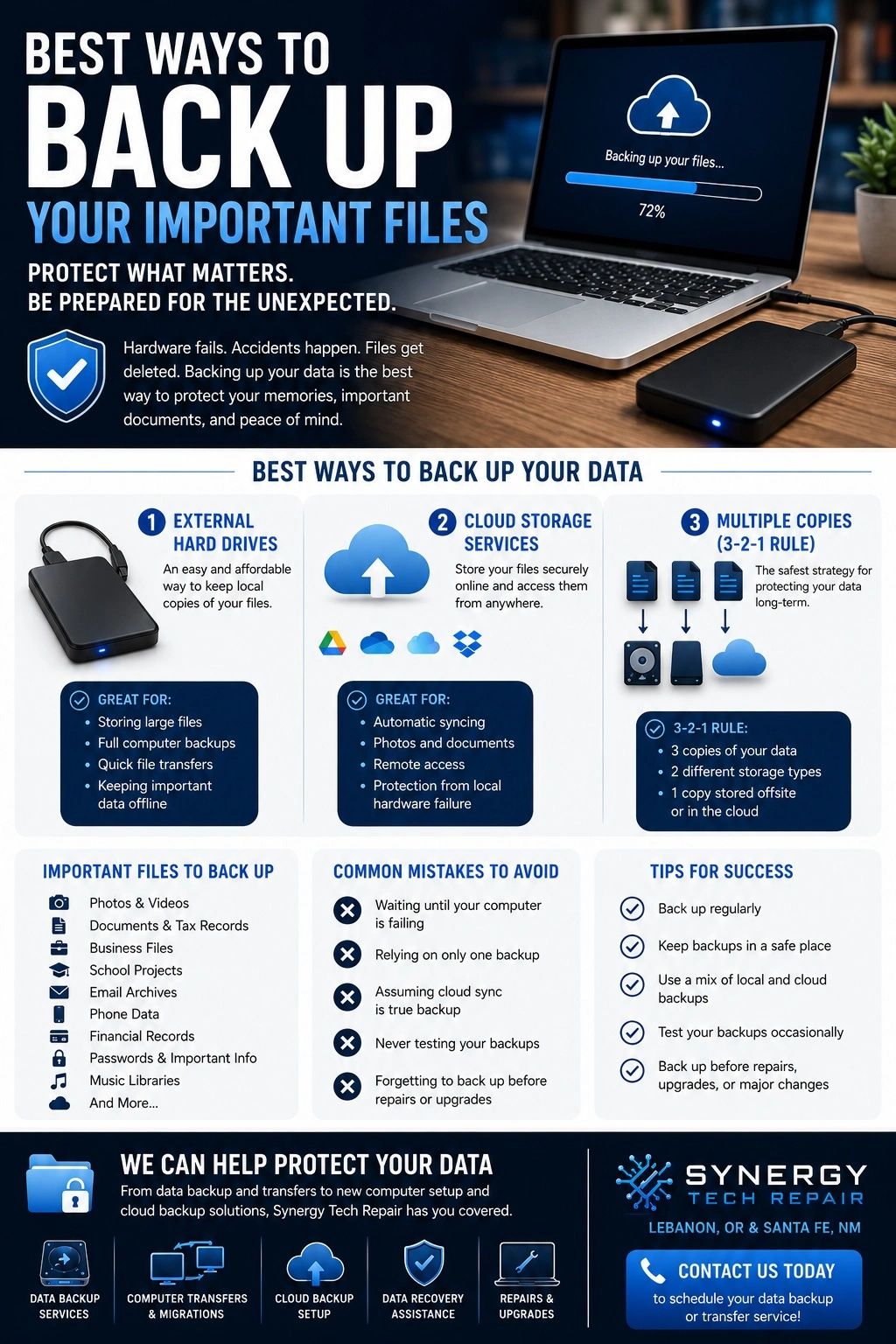
Most people never think about backing up their files until something goes wrong.
A failing hard drive, accidental deletion, virus infection, liquid damage, theft, or even a power surge can instantly put years of photos, documents, and personal memories at risk. Unfortunately, we regularly see customers lose irreplaceable files simply because they believed their computer or phone would “always be there.”
The good news is that protecting your data is easier than most people think.
At Synergy Tech Repair, we help customers every day with data backup, file transfers, and recovery situations — and one thing we always recommend is having a reliable backup plan before disaster happens.
Your device can fail at any time — even without warning.
Common causes of data loss include:
- Hard drive failure
- SSD corruption
- Liquid damage
- Malware or ransomware
- Accidental deletion
- Operating system corruption
- Theft or loss
- Fire or electrical damage
- Failed updates
- Physical drops or impact damage
Many people assume:
“My computer is working fine, so I don’t need a backup.”
But unfortunately, storage devices can fail suddenly and sometimes without any recoverable warning signs.
What Files Should You Back Up?
Some of the most important files people often forget to protect include:
📸 Family photos & videos
📄 Tax documents
🏢 Business files
🎓 School projects
📧 Email archives
💳 Financial records
📝 Password files
🎵 Music libraries
📱 Phone backups
☁️ Cloud-synced folders
If losing the file would upset you, cost you money, or create stress — it should be backed up.
Best Ways To Back Up Your Data
1. External Hard Drives
One of the easiest and most affordable backup options is an external hard drive.
External drives allow you to:
- store copies of important files
- back up entire computers
- quickly transfer data to new devices
- keep local copies of photos and documents
For many users, an external backup drive is a great first layer of protection.
Tip:
Don’t leave your external drive connected 24/7. Malware or ransomware can sometimes affect connected drives as well.
2. Cloud Storage Services
Cloud storage adds another layer of protection by storing your files online.
Popular options include:
- Google Google Drive
- Microsoft OneDrive
- Apple iCloud
- Dropbox Dropbox
Cloud storage is excellent for:
- automatic syncing
- phone photo backups
- remote access
- protecting files from local hardware failure
However, cloud storage should not always be your only backup solution.
The Best Backup Strategy: Multiple Copies
One of the safest approaches is often called the:
“3-2-1 Backup Rule”
This means:
- 3 copies of your data
- 2 different storage types
- 1 copy stored offsite or in the cloud
Example:
- Files on your computer
- Backup on an external drive
- Additional backup in cloud storage
This greatly reduces the chance of catastrophic data loss.
Common Mistakes People Make
Waiting Until the Computer Is Failing
Many customers only attempt backups after:
- clicking sounds start
- the computer won’t boot
- files disappear
- the system becomes extremely slow
At that point, recovery can become much more difficult — and expensive.
Assuming Cloud Sync Equals Backup
Cloud syncing is helpful, but accidental deletions or ransomware can sometimes sync across devices too.
True backups should still exist separately.
Never Testing Backups
A backup is only useful if it actually works.
It’s important to occasionally:
- open backed-up files
- verify photos transferred correctly
- confirm backup software is running properly
Back Up Before Repairs or Upgrades
We also strongly recommend backing up your files before:
- SSD upgrades
- operating system reinstalls
- computer tune-ups
- malware removal
- major repairs
- replacing old computers
Even routine repairs can carry unexpected risks when dealing with aging hardware.
We Can Help Protect Your Data
At Synergy Tech Repair, we offer professional:
- data backup services
- computer-to-computer transfers
- external drive backups
- cloud backup setup
- SSD migrations
- new computer setup & migration
- basic recovery assistance
Whether you’re upgrading to a new device or simply want peace of mind, we’re here to help protect what matters most.
📍 Serving Lebanon, Oregon & Santa Fe, New Mexico
📞 Contact us today to schedule your data backup or transfer service before disaster strikes.