Spilled Liquid on Your Phone, Laptop, or Tablet? What to Do — and What NOT to Do
From the Synergy Tech Repair article archive.
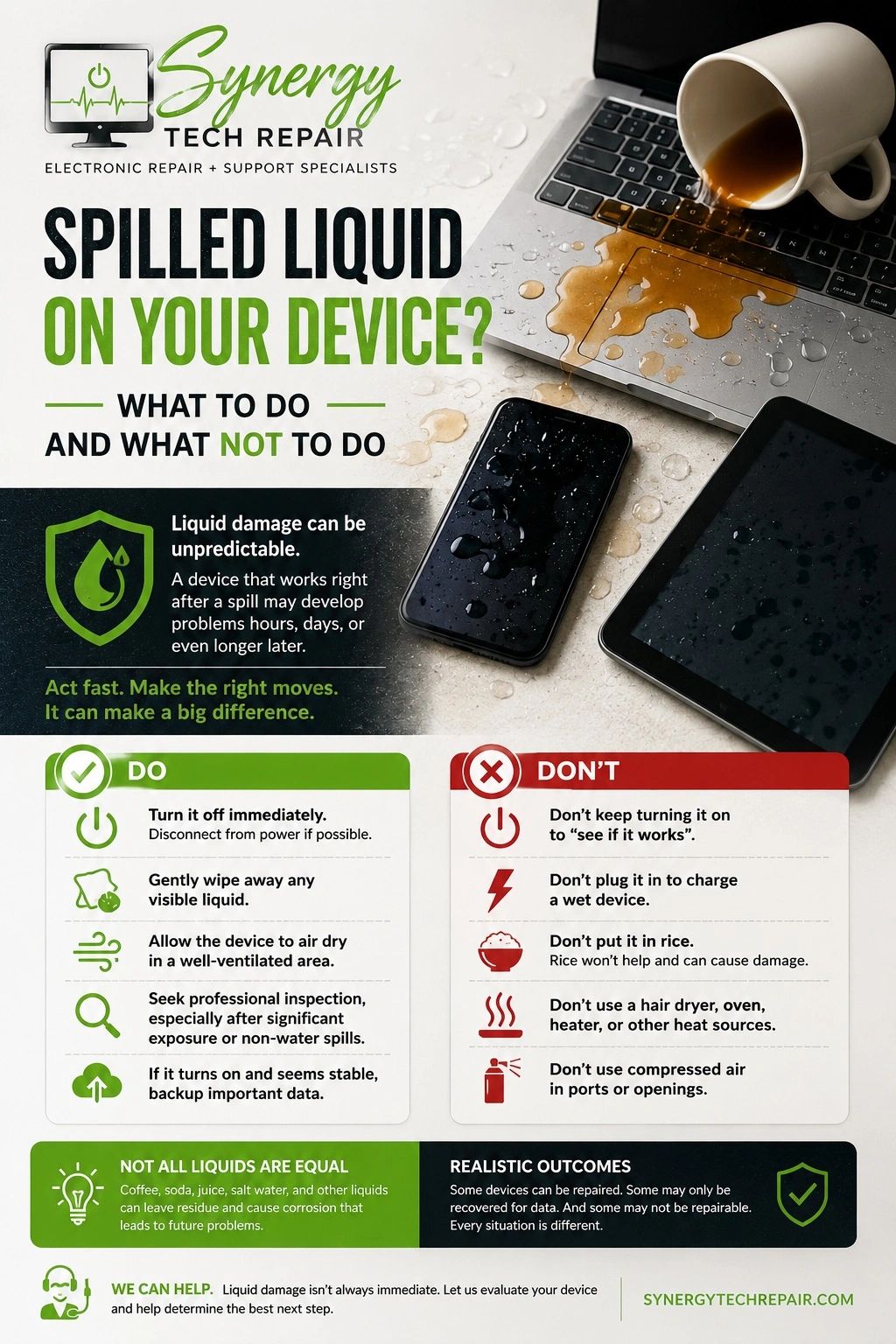
It happens in seconds.
A cup of coffee tips over next to your laptop. Your phone slips into the sink. A glass of water gets knocked onto your tablet. Maybe your device gets caught in the rain, dropped in the bathtub, or introduced to a toddler's juice cup.
Your first instinct is probably to grab the device, see if it still works, and start pressing buttons.
That is exactly when it's important to slow down and make the right decisions.
At Synergy Tech Repair, we see liquid-damaged electronics regularly, and one of the most important things we want customers to understand is this:
A device that works immediately after getting wet isn't necessarily okay.
Liquid damage can be unpredictable. Sometimes the effects are immediate. Other times, a phone or computer may continue working normally for hours, days, or even longer before problems begin appearing.
First: Turn It Off
If your device has been exposed to a significant amount of liquid and is still powered on, turn it off as soon as safely possible.
Do not keep using it just because it appears to be working.
Electricity and liquid are a bad combination. Continuing to power a wet electronic device can increase the possibility of electrical damage.
If it's a laptop, unplug the charger immediately. If the battery is designed to be easily removable, disconnect it. With modern devices containing internal batteries, don't start disassembling the device unless you have the experience and tools to do so safely.
Don't Keep Turning It On to "See If It Still Works"
This is one of the most common mistakes we see.
The device gets wet.
It shuts off.
The owner presses the power button.
Nothing happens.
So they press it again.
And again.
Then they plug it into a charger.
Don't do this.
If liquid has reached the internal electronics, repeatedly applying power can potentially turn a repairable situation into a much more serious one.
If it shut itself off after liquid exposure, leave it off.
Do NOT Plug a Wet Device Into a Charger
If there is any possibility that moisture remains inside the charging port or device, don't immediately connect a charger.
Modern phones may actually refuse to charge when moisture is detected in the charging port. This isn't a malfunction — it's a protection feature designed to reduce the risk of damage and corrosion.
Wait until the device and charging port are completely dry before attempting wired charging.
Please Don't Put It in Rice
Yes, we're coming for the rice myth.
Do not bury your phone in a bowl or bag of rice.
Rice isn't going to clean liquid or residue from the internal components of your device. Worse, small particles can find their way into charging ports and other openings.
Apple specifically advises customers not to put a wet iPhone into rice because particles can damage the device.
Airflow is a much better idea.
Place the device in a dry, well-ventilated area while deciding whether professional inspection is necessary.
Don't Use a Hair Dryer, Oven, Heater, or Other Heat Source
We understand the logic:
Wet device + heat = dry device.
Unfortunately, electronics aren't that simple.
Excessive heat can damage batteries, adhesives, displays, plastics, seals, and other internal components.
Avoid hair dryers, ovens, heaters, heat guns, or other high-temperature drying methods.
Also avoid blasting ports with compressed air.
Water Isn't the Only Problem
Not all liquid damage is equal.
Plain fresh water is one thing.
Coffee, soda, wine, juice, salt water, sugary drinks, cleaning products, and other liquids can be considerably more problematic because they may leave contaminants and residue behind after the visible moisture has evaporated.
That residue doesn't simply disappear when the device feels dry.
This is one reason professional liquid-damage treatment can involve opening the device, disconnecting power, inspecting the internal components, and properly cleaning affected areas rather than simply waiting for the outside to dry.
"But It Still Works!"
Great! We genuinely hope it stays that way.
But this is where liquid damage gets tricky.
Some liquid-damage problems aren't immediately apparent.
A phone may work perfectly after a spill and later develop problems such as:
- Charging issues
- Battery problems
- Unexpected shutdowns
- Touchscreen problems
- Display issues
- Camera problems
- Speaker or microphone issues
- Wi-Fi or Bluetooth problems
- Keyboard or trackpad failures
- Random restarting
- Failure to power on
Liquid and contaminants can remain in areas you can't see, and corrosion can continue developing after the original spill.
That means "it turned back on" and "there is no liquid damage" are not the same thing.
What About Water-Resistant Phones?
Water-resistant does not mean invincible.
Many modern smartphones have impressive water-resistance ratings, but those ratings don't guarantee that every real-world liquid exposure will be harmless.
Devices age. Seals can deteriorate. Phones get dropped. Screens and back glass get replaced. Frames get damaged.
And water resistance certainly doesn't make coffee, soda, salt water, or other contaminants harmless.
Treat significant liquid exposure seriously even if your phone was advertised as water-resistant.
What You SHOULD Do
If you've spilled liquid on an electronic device:
- Disconnect it from power immediately.
- Turn the device off if it is safe and possible to do so.
- Remove external accessories, cases and cables.
- Gently wipe away visible liquid with a clean, soft cloth.
- Do not repeatedly attempt to turn it back on.
- Do not plug it into a wired charger while it may still be wet.
- Do not use rice, high heat, or compressed air.
- Allow airflow around the device.
- Consider professional inspection, especially after a significant spill or exposure to anything other than clean water.
Can a Liquid-Damaged Device Be Repaired?
Sometimes — absolutely.
But we also want to set realistic expectations.
There is no guaranteed outcome with liquid damage.
Some devices need relatively minor cleaning or component replacement and recover completely. Others have significant board-level corrosion or electrical damage. Sometimes a device can be restored enough to recover important data but may not be reliable enough to recommend continuing to use long-term.
And unfortunately, some devices are damaged beyond economical repair.
The amount of liquid, type of liquid, location of exposure, whether the device was powered at the time, how long it remained wet, and what happened immediately afterward can all affect the outcome.
That's why we don't believe in promising a liquid-damaged device can be "saved" before we've had an opportunity to evaluate it.
Your Data May Be More Important Than the Device
If your phone or computer contains irreplaceable pictures, documents, business records, or other important information, tell your repair technician before attempting additional power-ons or DIY fixes.
Sometimes the repair strategy changes when data recovery is the primary goal.
If the device does turn back on and appears stable, backing up important data should be a priority. Don't assume that because it works today, it will necessarily continue working tomorrow.
The Bottom Line
When electronics meet liquid, what you do in the first few minutes can matter.
Power it down. Don't charge it. Don't keep testing it. Skip the rice. Avoid heat. And don't assume everything is fine simply because the device still works.
Liquid damage isn't always immediate, and every case is different.
At Synergy Tech Repair, we can evaluate liquid-damaged phones, tablets, laptops, computers, gaming systems, and other electronics and help determine the most sensible next step — whether that's cleaning and repair, board-level work, data recovery, or deciding that replacement makes more financial sense.
Synergy Tech Repair
Electronics Repair + Support Specialists